Keep clients and past invoices
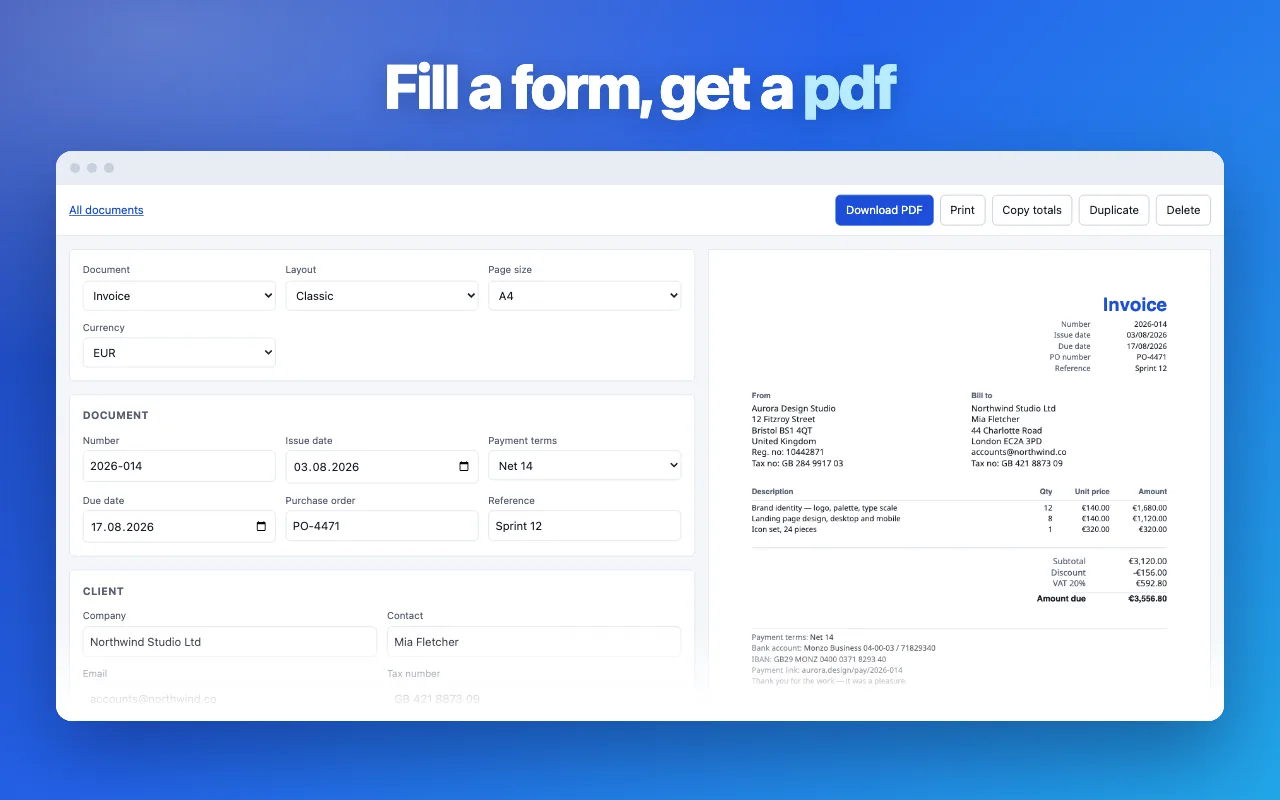
The free Invoice Generator extension remembers your details and your clients, numbers every invoice, and keeps the ones you sent — one click from any tab in Chrome.
Add Invoice Generator to ChromeHow to make an invoice
- Type your name and your client’s details straight onto the blank.
- Add a line for each job or product: description, quantity, price. Press Enter for a new line.
- Set tax or a discount if you need them, then press “Download PDF”.
Questions people ask
Is this invoice generator really free?
Yes. No account, no trial, no watermark on the PDF. You can make as many invoices as you need.
Where is my invoice data stored?
Nowhere. The invoice is built and saved by your browser, and nothing is sent to a server. Closing the tab clears the form, so download the PDF before you leave.
Can I add tax or a discount?
Yes. Enter a tax rate in percent and a discount as an amount. The discount comes off before tax, which is how most countries expect it.
Which currencies are supported?
US dollar, euro, British pound, Canadian and Australian dollar, Swiss franc, Indian rupee and more. Amounts are rounded to the cent the same way on screen and in the PDF.
Why do some letters show as question marks in the PDF?
The PDF uses standard fonts that cover Latin alphabets only. Names in Cyrillic, Greek or Asian scripts need the Chrome extension, which embeds full fonts.
Can I save clients and reuse invoice numbers?
Not on this page. The Invoice Generator extension keeps a client list, numbers invoices for you and stores past invoices in Chrome.