Email signature generator
Fill in your details. The signature builds itself under a sample email, ready to paste into Gmail, Outlook or Apple Mail.
Tojordan@client.co
SubjectProposal for next quarter
Hi Jordan,
Attached is the proposal we talked about on Tuesday. Happy to walk you through it whenever suits you.
Best,
Your signature appears here as you type.
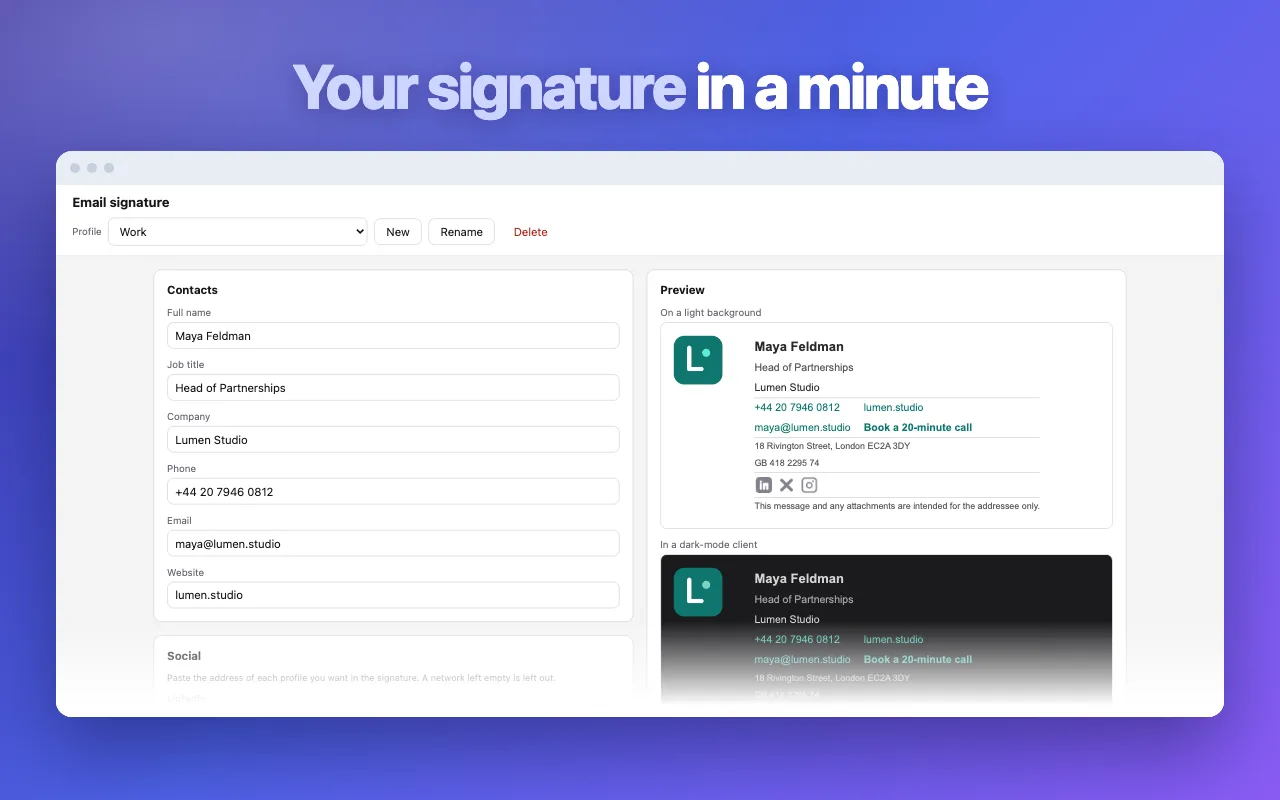
Insert it right inside Gmail
The free Email Signature Maker extension keeps your signatures in Chrome and drops the right one into the email you are writing. No settings pages, no copy and paste every time you change a phone number.
Add Email Signature Maker to ChromeHow to make an email signature
- Type your name, job title and contacts into the fields.
- Pick an accent colour and check the preview under the sample email.
- Press “Copy signature” and paste it into the signature settings of your mail app.
Questions people ask
How do I add the signature to Gmail?
Press “Copy signature”, open Gmail settings → See all settings → General → Signature, create a new one and paste. Scroll down and press “Save changes”.
How do I add it to Outlook?
In Outlook on the web open Settings → Mail → Compose and reply. In the desktop app open File → Options → Mail → Signatures. Paste into the editor and save.
Why does the pasted signature look plain?
Some editors drop formatting when you paste with Ctrl+Shift+V. Paste with a normal Ctrl+V or ⌘V. If your app only accepts code, use “Copy HTML” instead.
Can I add a photo or logo?
Yes. Paste a link to an image that is already online, for example your LinkedIn photo or the logo on your company site. Email apps load signature images from a link, not from your computer.
Is my information stored?
No. Everything you type stays in this tab and disappears when you close it. Nothing is sent to a server.
Will it look the same on phones?
Yes. The signature is built from simple tables with inline styles, the format every mail app understands, so it keeps its layout on iPhone, Android and desktop.