Three days in Lisbon, on foot and by tram
Start at Graça before nine, when the 28 still has seats. The tiles on the way down are worth the slow walk.
Here is a travel blog with eight pictures on it, from a full-width photo down to a one-pixel tracker. Collect them, drop the small stuff, save the rest.
Start at Graça before nine, when the 28 still has seats. The tiles on the way down are worth the slow walk.
A web page can’t reach into another site’s pictures — the browser forbids it, which is why paste-a-link downloaders keep failing. The free Download Images from Website extension works inside the tab you already have open: click it, filter, download.
Add to Chrome — it’s free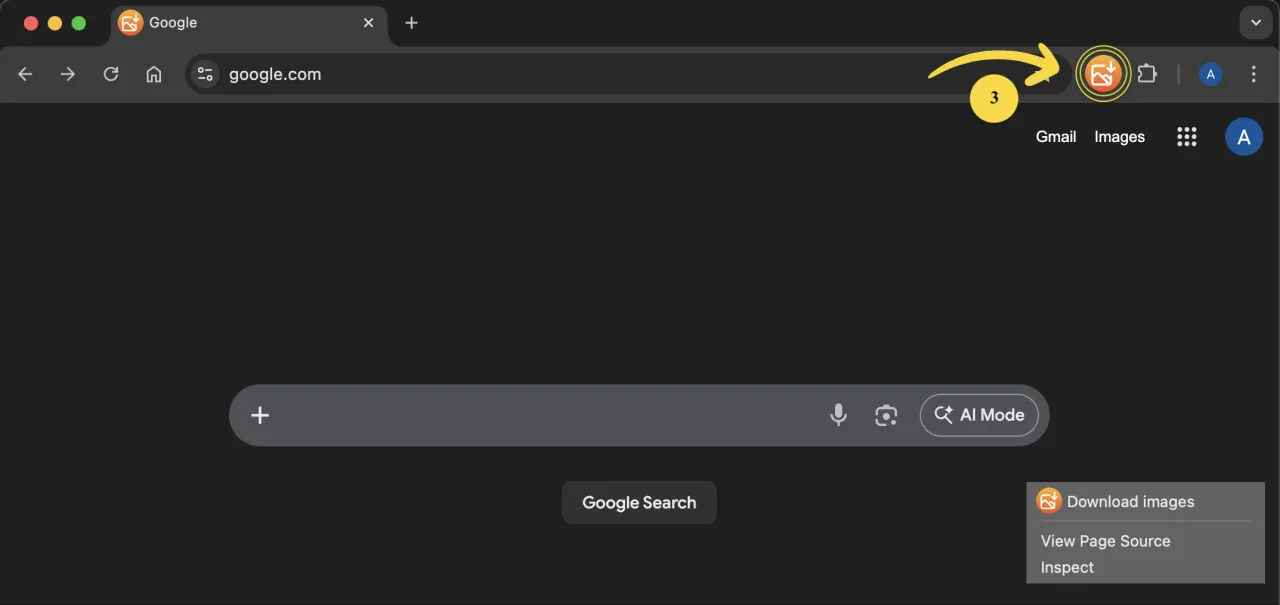
No, and no honest web page can. Browsers block one site from reading pictures on another, so online “image downloaders” either send your link through their own server or break on half the sites. The free Chrome extension runs inside the page you have open, so it sees exactly what you see.
Install the Download Images from Website extension, open the page, click the extension icon and press “Download”. Every image on the page is collected; pick the ones you need and save them together.
Use the size filter. Small pictures such as share buttons, logos and one-pixel counters drop out, and only real photos stay in the list. Try the filter in the demo above.
Yes. The extension saves the original file the site serves, not a screenshot or a thumbnail, with its own name and format.
It works on any page that shows images in Chrome, including galleries and product pages. Pictures that only load as you scroll appear once you scroll down to them.
It is free. The extension does not send the pages you visit or the images you save anywhere; everything stays in your browser.