
Email Signature Maker
A clean sign-off for Gmail and Outlook: templates, logo, social icons, tidy HTML.
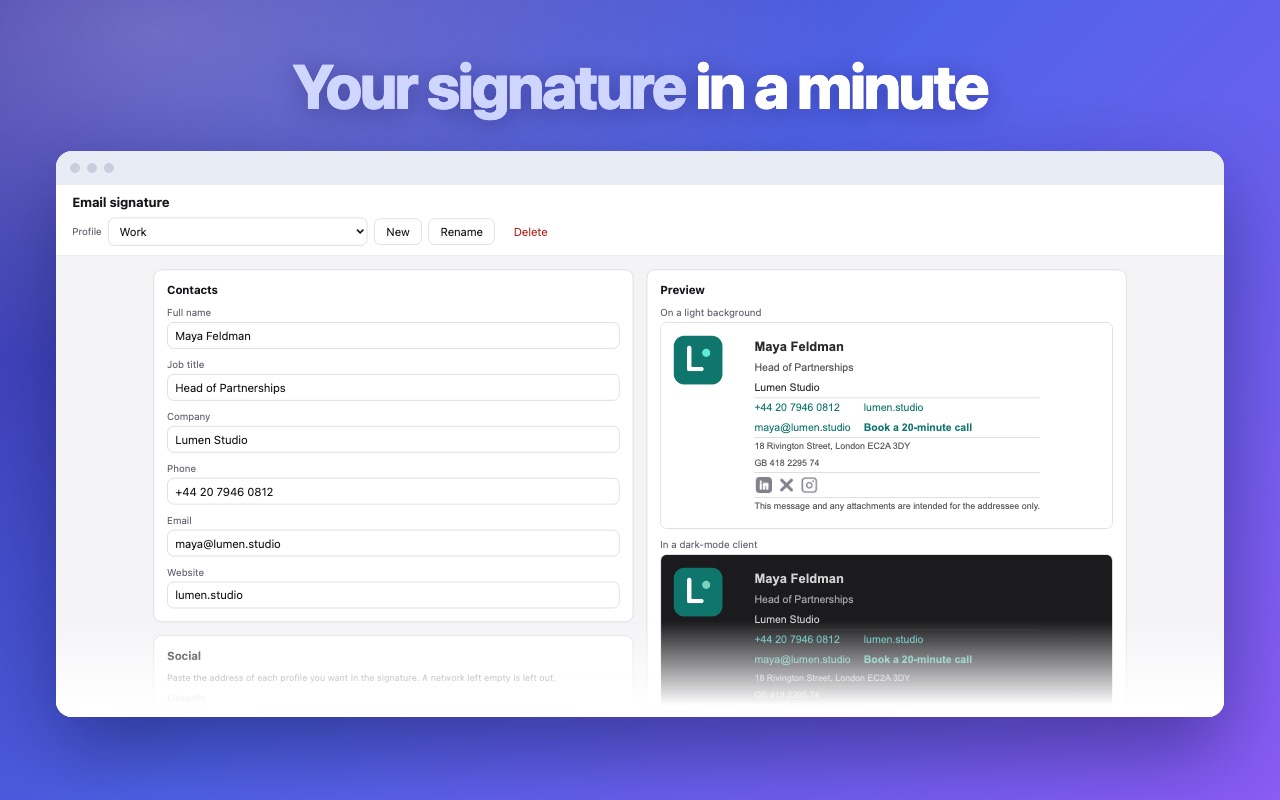
Fill in the form, pick a layout, press copy — and every letter you send ends the way it should. No markup to write, no designer to brief, no monthly plan to remember.
How it works
- Enter your contact details: name, job title, company, phone, website.
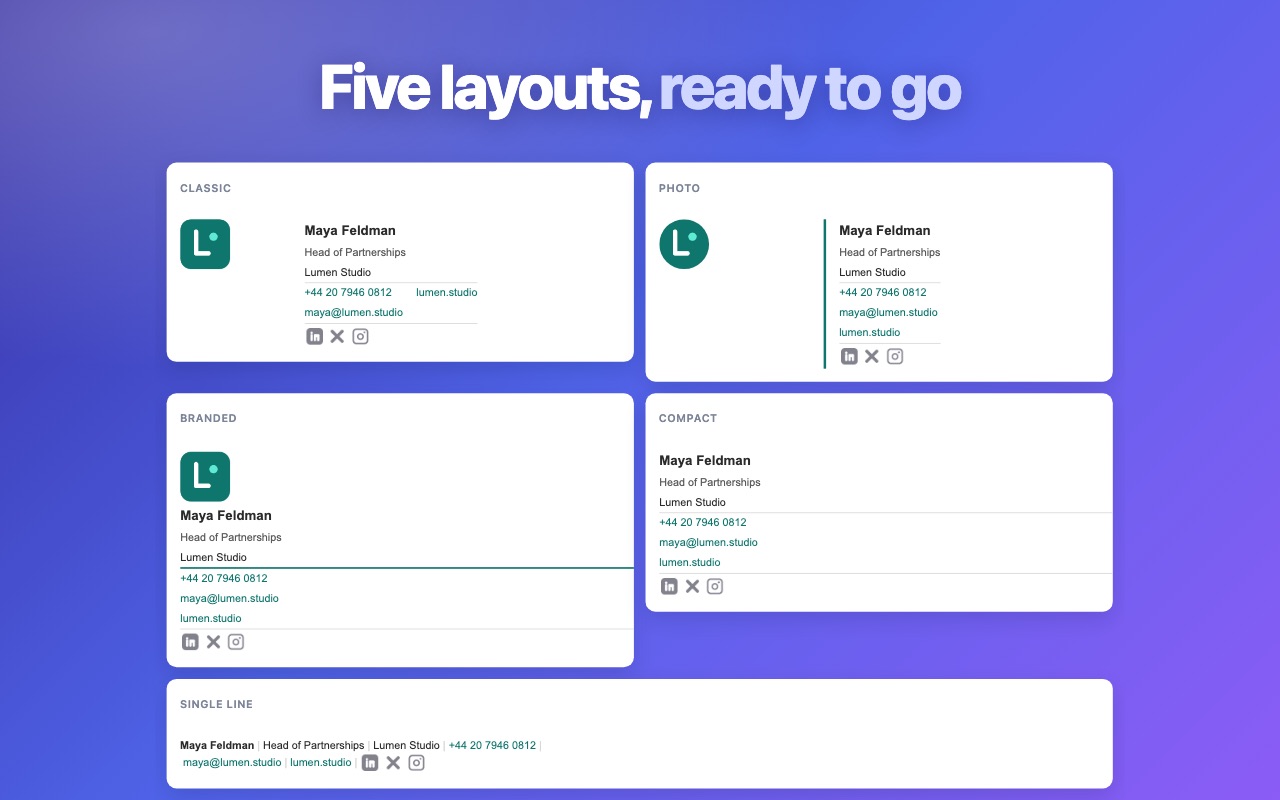
- Choose a layout and set the accent colour of your company branding.
- Copy the block and paste it into Gmail, Outlook or any webmail.
What you get
- Ready templates, from a single line to a logo-and-photo layout
- Company logo, brand colour and social icons
- Clean HTML that survives Gmail and Outlook rendering
- Step-by-step paste instructions for both mail clients
- Everything is generated locally in your browser
Screenshots
Questions
- How do I add the signature in Gmail?
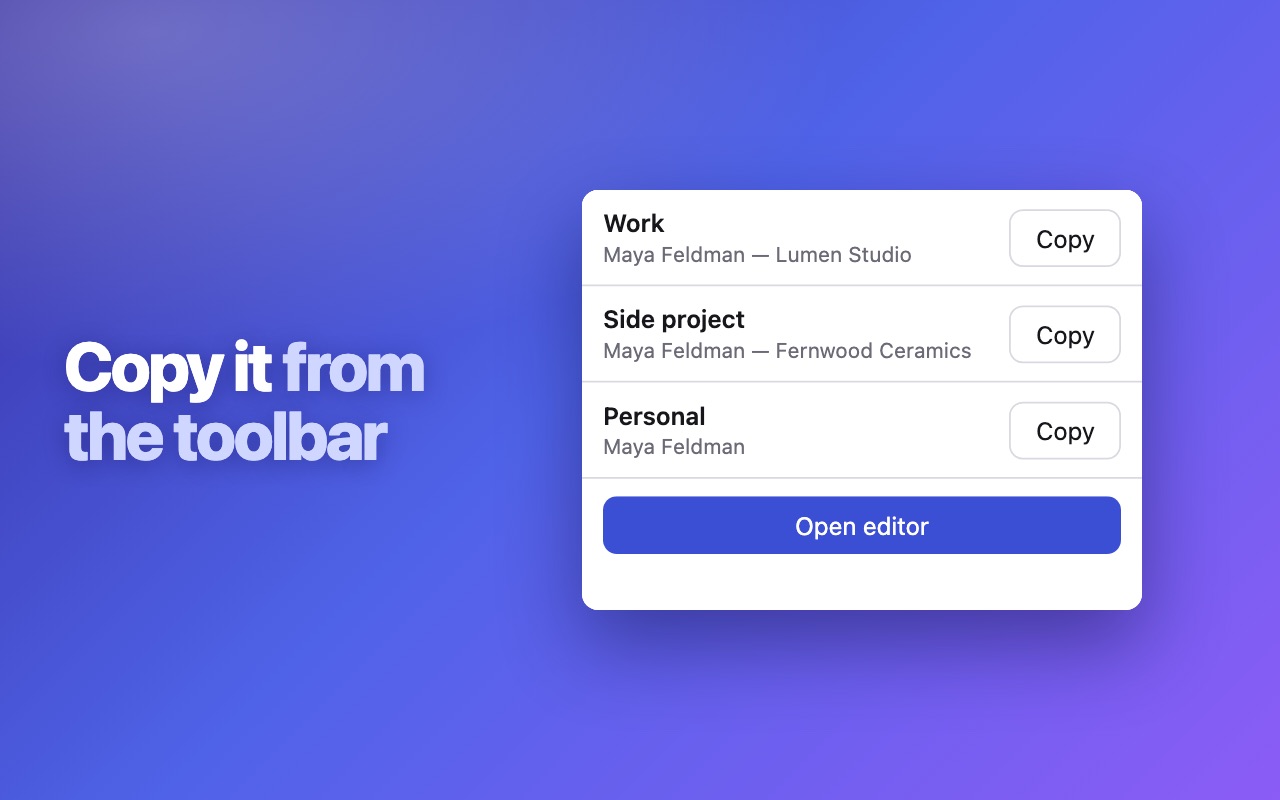
- Press copy in the extension, open Settings → See all settings, scroll to the signature section and paste.
- How do I add it in Outlook?
- Copy, then open Settings → Mail → Compose and reply, paste into the box, name it and pick it as the default.
- Will the layout break in other clients?
- The markup uses table-based HTML that Gmail, Outlook and most webmail clients render the same way.
Install it
Free, no account, works right after install.
Add to Chrome — free